Orbstack - What Docker Desktop Wishes it Could Be
My notes on replacing Docker Desktop with OrbStack on macOS, including startup time, the CLI workflow, SSH forwarding, and local HTTPS.

Docker Desktop was the default on my Mac until it became background noise: slow startups, a heavy process, and a GUI I rarely opened. I had already moved away from it on Windows, so I started looking for the Mac equivalent that would let me keep Docker without babysitting the desktop app.
I tried Rancher Desktop and Colima. They were better in some ways, but neither fit the way I work. Then I tried OrbStack. This is what made me keep it.
Other Alternatives
I wanted something light, quick to start, and comfortable on a Mac. OrbStack was the first option that felt like it belonged there instead of feeling like another layer on top of Docker.
What I liked about OrbStack
OrbStack became my replacement for Docker Desktop because it starts quickly, stays out of the way, and still gives me a GUI when I need one. I spend most of my time in the terminal, but the small desktop app is useful when I want to inspect containers or volumes without typing another command.
- Lightweight: Orbstack is super lightweight. It’s not an Electron app with the Chromium engine doing what it does best - hogging resources. It’s a native app built with SwiftUI, and the underlying components are written in Go, Rust and C, so it’s super fast and responsive. It’s also very small in size, so you can leave it running in the background without worrying about it slowing down your system.

- Speed Redefined: Orbstack’s startup time defies logic—it’s instantaneous! I’m not even exaggerating. It’s the kind
of speed dreams are made of. The first time I opened it, I was like, “Wait, is that it? Did it just open?!”. Here’s a
sample of its startup time on my machine (it’s not sped up or anything and this is on M1 MacBook Air)
- Beautiful UI: Orbstack’s UI is absolutely gorgeous. It’s clean, minimal, and intuitive. It’s also super easy to use. It’s so beautiful that I actually prefer using the GUI over the terminal (I know, I know, I’m a terminal guy, but Orbstack’s GUI is just too good to pass up).
- SSH Port Forwarding: Orbstack allows you to forward SSH ports to your containers. This is super useful when you want to SSH into your containers. You can also forward ports to your host machine.
- Auto SSL for all Containers and Services: This one’s one of my favorites. Orbstack automatically generates SSL certificates for all your containers and services - using the container or service name as the domain name. The covenience of this feature is just unmatched.
- Native File Access: Yes, you read that right. YOu can access your container’s files directly from your host machine using our very own Finder. No need to use the terminal or any other third-party tools. Just open Orbstack from the menu bar and you’ll see the icon to access your container’s files. And not just that, even your images and volumes are just a click away. You can inspect them, delete them, or anything else you want to do with them on the fly.
And so much more, it’s an exhaustive list. You can check out the full list of features here.
A few other details
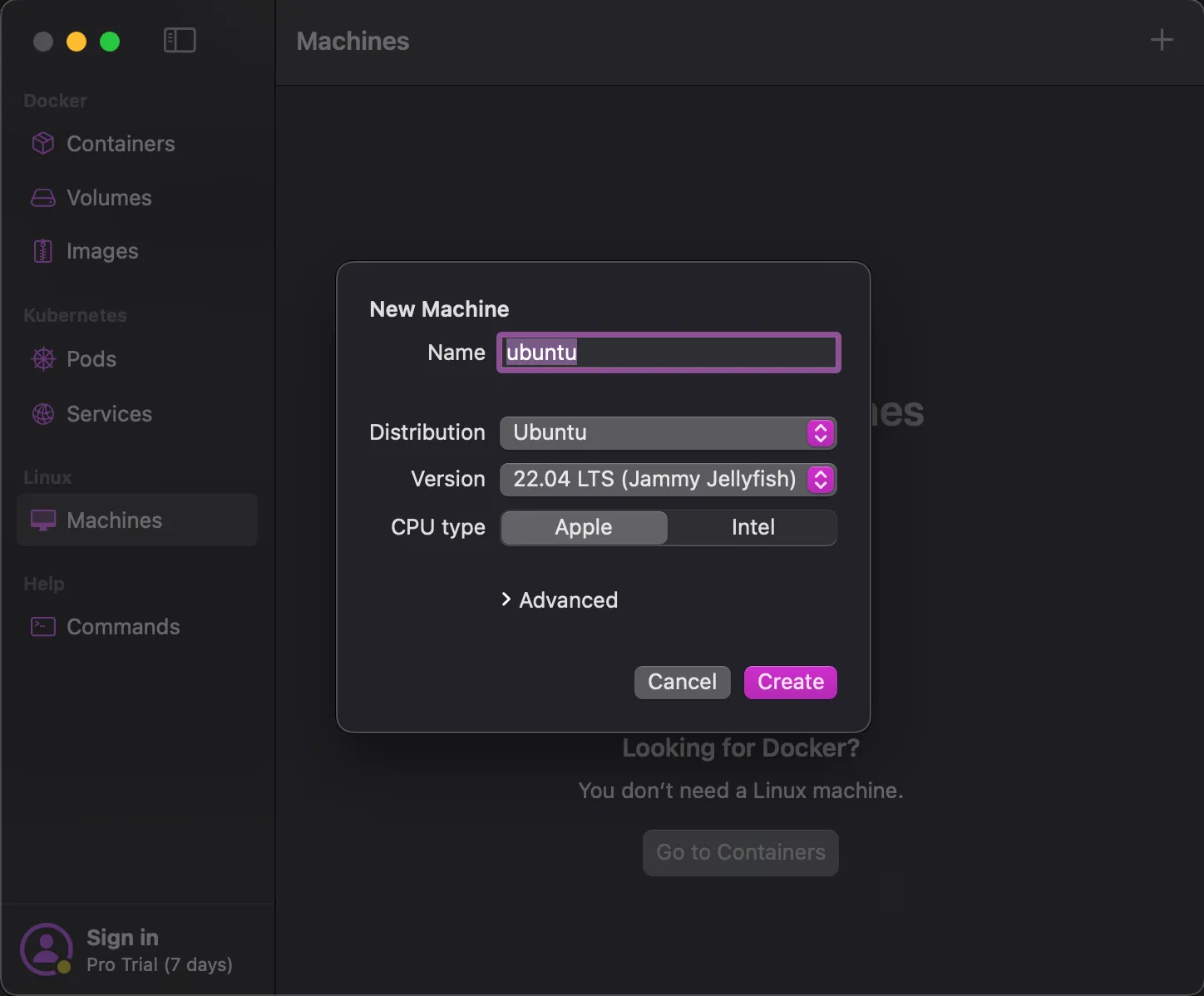
And the surprises with Orbstack don’t end there. Brace yourself for more. Orbstack is not just a Docker Desktop
alternative, it’s so much more. Just like WSL2, Orbstack offers Linux environments that are not just similar but
unbelievably fast. You have the best of both worlds without compromising on speed or efficiency. And of course, your
linux
machines have SSL enabled domains you can use to access them, and you’ve got native file access as well.
How to Install Orbstack
Honestly, this post wasn’t necessarily to teach you how to install Orbstack. It’s quite simple and uncomplicated. But since I’m already here, I might as well show you how. You can get the latest version of Orbstack here. Open it and drag it to your Applications folder and that’s it, you’re done! Docker will be up and running in no time after you launch your app (you’ll see the startup time I’ve been raving about).
For the Brew loyalists, you can install Orbstack using Homebrew as well. Just run the following command in your terminal:
brew install orbstackConclusion
Alright, I know I’ve been raving mad about Orbstack. It’s not perfect of course, the only problem I have with it has to do with it’s pricing. It’s free for personal use, so you can use it for your personal projects. But if you want to use it for commercial purposes, you’ll have to pay for it. But hey, it’s a small price to pay for this beauty. You can check out the pricing here. I sounded too excited throughout this article, but I’m not affiliated with Orbstack in any way. I’m just a happy user who wants to share this amazing tool with the world. I wont sound like this in my next article, I promise. I hope you found this article useful.
Happy new year folks. Here’s to a prosperous and splendid 2024 🥂